Slot

Add a Slot in the Makeswift builder to visually drop in a ReactNode.
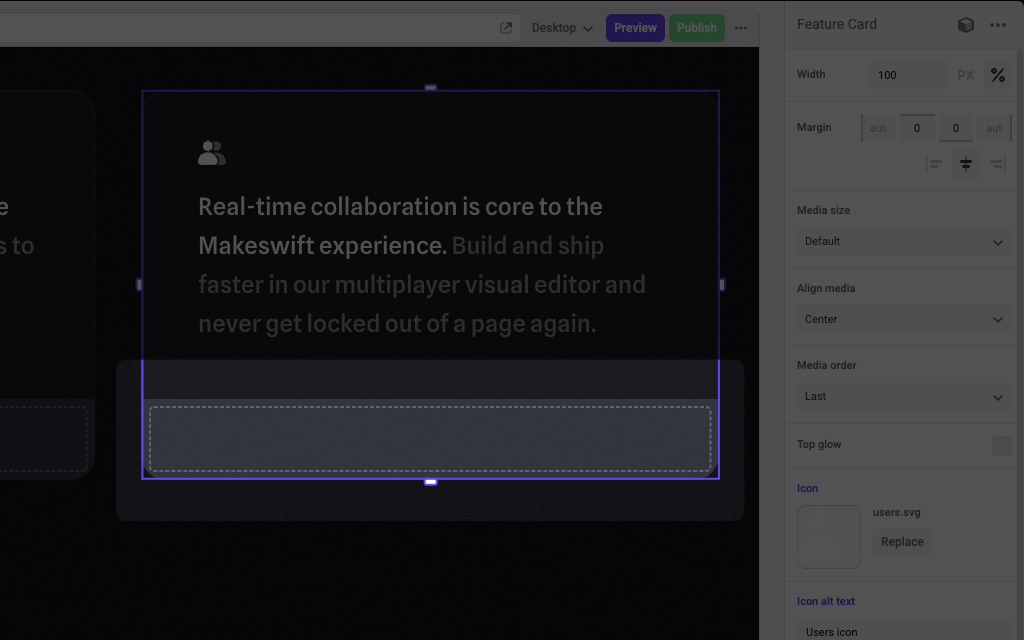
A slot inside of a Feature Card component

Params

The Slot control currently doesn’t take any parameters.

Prop type

The Slot control passes a ReactNode to your component.

Example

The following example adds a Slot control to the media prop of a Feature Card component.

1import { Slot, TextInput, Image } from "@makeswift/runtime/controls"
2
3import { runtime } from "../../../../../makeswift/runtime"
4
5import { FeatureCard } from "./FeatureCard"
6
7runtime.registerComponent(FeatureCard, {
8 type: "feature-card",
9 label: "Feature Card",
10 props: {
11 icon: Image({ label: "Icon" }),
12 headline: TextInput({ label: "Headline" }),
13 body: TextInput({ label: "Body" }),
14 media: Slot(),
15 },
16})

.makeswift.ts is a naming convention for organizing Makeswift registration code. Learn more.